
Financial advisory automation
An evidence review system that turns client interactions and documents into a report an advisor can check against the originals.
The work behind a client review
An advisor sees a client’s full story over the course of a year. The records arrive one at a time. A meeting note here, a phone call there, an email confirming the next step.
At review time, an advisor may need to search several systems, read supporting PDFs, decide what belongs in the report, and keep track of where each detail came from. We worked with practicing advisors to bring that record trail into one workflow.
How the system works
-
Keep the history together
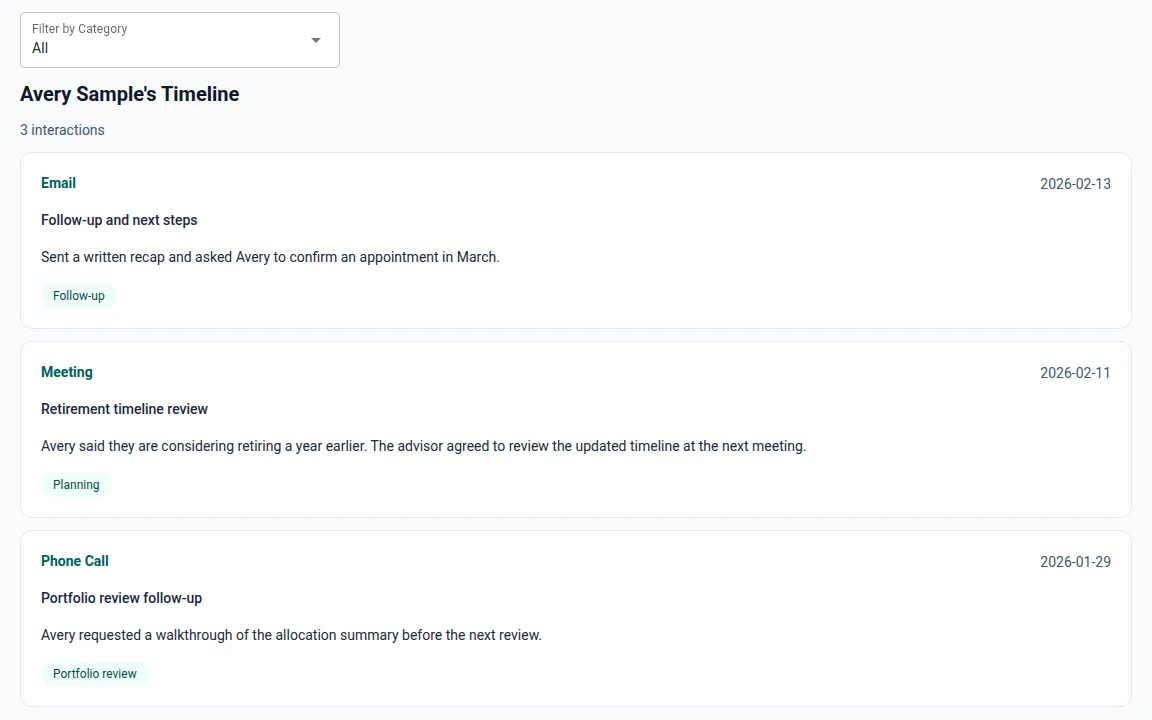
A client timeline keeps the original interaction records together. Advisors can review the material by date and filter it by category.
-
Classify and cite the evidence
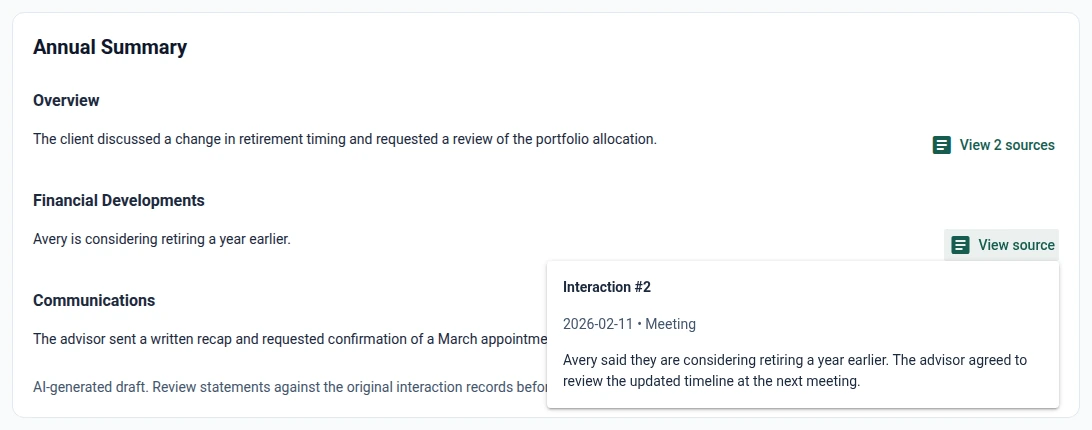
AI helps classify interactions and extract PDF findings that may be relevant to a compliance review. The findings reference specific records or pages, and the system checks that those references exist.
-
Draft and review the report
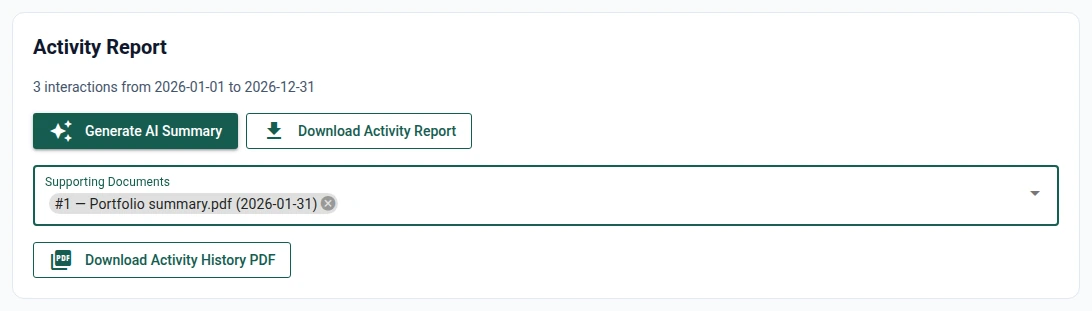
Advisors choose the reporting period and supporting documents. They can open the source behind a draft statement and export the report as a PDF with its activity history and supporting evidence.
Follow a finding back to its source
In a review, the advisor needs to know what the record actually says. Open a finding to see the difference between a draft summary and its supporting material.
Earlier retirement consideredMeeting note
Retirement timeline review · 11 Feb 2026
“Avery said they are considering retiring a year earlier. The advisor agreed to review the updated timeline at the next meeting.”
Portfolio allocation recordedReview PDF, p. 2
Portfolio summary · page 2
“The allocation snapshot lists 60% equities, 35% fixed income, and 5% cash as of 31 January 2026.”
Next appointment requestedFollow-up email
Follow-up and next steps · 13 Feb 2026
“Sent a written recap and asked Avery to confirm an appointment in March.”
These example findings and sources use synthetic data.
Where the system is going
We demonstrated the working prototype to a group of practicing advisors. Commercial deployment is still ahead. The aim is to spend less of the week reconstructing records and more of it working with clients.
- Retrospective documentation and review
- The prototype analyzes client interactions and supporting PDFs and drafts reports with references to original records and pages. Advisors can check the wording and context before using a draft.
- Proactive coverage assessment
- In development. The goal is to compare the available records with configurable review criteria and give advisors a checklist of missing documentation or activities that may need attention.
- Meeting preparation
- The current build can prepare an on-demand brief from a client’s interaction history. Calendar-triggered briefs ahead of appointments are in development.